Microwave
Learn how to describe microwave symptoms, identify the correct model, and prepare for an inspection without opening appliance panels or guessing parts.

Specialized JennAir Appliance Repair in San Francisco
Mon–Sat: 8:00 AM – 7:00 PM
Use this guide to understand common JennAir microwave problems and prepare useful details for a careful in-home diagnosis around San Francisco.
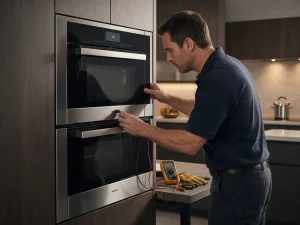
JennAir microwaves appear in several installation arrangements, including built-in microwave and speed-oven combinations within wall cabinetry. In one home, the appliance may be accessible from its sides; in another, the surrounding cabinetry can cover nearly every edge. The type of installation affects how service access should be planned, although it does not by itself identify the fault.
Changes worth recording include a display that operates while food remains cold, a turntable that will not move, an unresponsive keypad, and an interrupted cycle. A clear distinction between an occasional event and a repeatable failure helps narrow the circumstances. Avoid treating a fault message as proof that a particular component is defective. The complete model identity and what the appliance was doing at the time are both important.
Owner-level observations can include door closure, chosen mode, basic power availability, and the presence of a microwave-safe vessel. These checks do not require tools or opening a cabinet. If the issue continues after an ordinary user check, write down the result and leave internal diagnostics for a professional. Do not defeat a door switch, access concealed wiring, or test live parts.
The identification plate on a JennAir microwave may be located in a position specified for its particular configuration. Check the accessible edge or opening described in the user documentation for your unit. Copy the model and serial information rather than relying on the product name printed on the front. The complete identification helps determine which documentation applies.
Not every message on the display identifies a failed component. A status or setting notification may look similar to a diagnostic code. Record the characters exactly and note the sequence in which they appeared. If the code meaning is documented for your appliance family, compare that definition only after confirming the full model number.
A symptom such as food heating unevenly, a start command doing nothing, intermittent operation, or an unusual sound is worth describing before scheduling an inspection. Some conditions are related to normal operation or routine use, while others may involve high-voltage equipment, control boards, door interlocks, and internal mechanisms. The difference should be established by examination. A written estimate is supplied before repair work, and the decision to proceed stays with the owner.
Dismantling a microwave to look for an assumed fault can introduce hazards and may complicate the later diagnosis. Keep observations to accessible external controls, display messages, and normal removable items described in the user guide. The appliance may have internal power or mechanical risks even when it appears idle.
Write down the selected mode, what happened at the beginning of operation, and whether the result changed during a later attempt. Where appropriate, record photos of the display without removing covers. That concise history is often more useful than a broad description such as “not working.” It also gives the inspection a practical starting point.
A microwave that responds to its keypad but does not warm food presents a different complaint from one that fails to start. Note whether the interior light, turntable and display operate, without running the appliance empty. Stop using the unit if the door does not latch properly or there is visible damage at the seal. High-voltage components can remain hazardous when the microwave is unplugged.
When arranging an inspection of this JennAir microwave, describe the exact control setting and what you observed before switching it off. Where the appliance is integrated into cabinetry, mention whether adjacent fixtures restrict access. Keep all internal covers in place until the condition has been assessed and the proposed work explained.
Write down what the microwave does, when it occurs, and whether the behavior is consistent. A brief sequence of observations is more useful than guessing which part might have failed.
Leave built-in equipment in place. Note any doors, shelving, or furniture that may restrict normal access, and mention these details when the visit is arranged.
The appliance is examined before a repair is recommended. A written estimate is presented, and no repair work goes ahead without your approval.
Learn how to describe microwave symptoms, identify the correct model, and prepare for an inspection without opening appliance panels or guessing parts.
A practical repair reference for the JennAir JJW2424HM, focusing on failure to heat, door detection, and display faults and preparation for an…
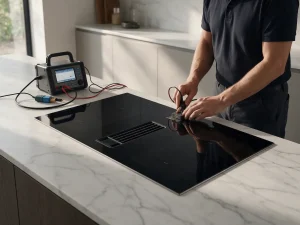
Learn how to describe cooktop symptoms, identify the correct model, and prepare for an inspection without opening appliance panels or guessing parts.
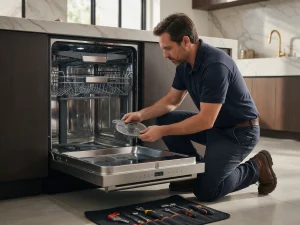
Learn how to describe dishwasher symptoms, identify the correct model, and prepare for an inspection without opening appliance panels or guessing parts.
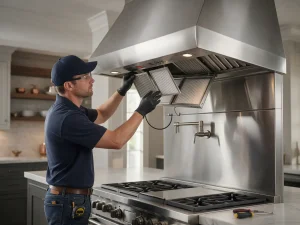
Learn how to describe range hood symptoms, identify the correct model, and prepare for an inspection without opening appliance panels or guessing…
Learn how to describe range symptoms, identify the correct model, and prepare for an inspection without opening appliance panels or guessing parts.
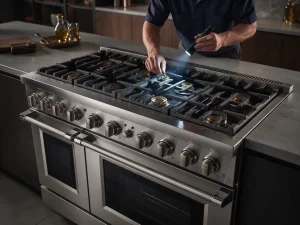
Learn how to describe rangetop symptoms, identify the correct model, and prepare for an inspection without opening appliance panels or guessing parts.
Learn how to describe refrigerator symptoms, identify the correct model, and prepare for an inspection without opening appliance panels or guessing parts.
Learn how to describe wall oven symptoms, identify the correct model, and prepare for an inspection without opening appliance panels or guessing…
Share a few details and we’ll confirm an appointment. Prefer to talk? Call us and we’ll help right away.